File List Pro Version: 6.0.15
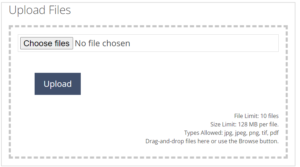
There has recently been a major upgrade to File List Pro – If you are using this feature, some of you might encounter a problem with the upload button.
We think that the old button has been caught in your cache and your web browser can’t see the new button.
If you have this problem it is easily fixed by clearing your cache.
Option one: Open the Website you want to clear in the cache
Press Ctrl + F5
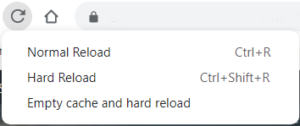
Option two: use the Developer Tools by pressing F12. Once the chrome dev tools are open, just right click on the refresh button and a menu will drop down. This menu gives you the option of Empty Cache and hard reload.
Option three: Press Shift+Control+Delete. This will open a Dialog letting you delete the Cache (and other Data).
Improvements to File List Pro Version: 6.0.15
One of the new improvements to File List Pro Version: 6.0.15 is better performance on mobile phones. It is now easier to tap function button such as ‘Open’, ‘Download’ and ‘Copy Link’. See image right»
If you want to active this feature follow these instructions:
go to File List Pro in you dashboard.

Select the List Setting tab
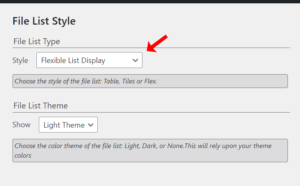
in the File List Style drop down select ‘Flexible List Display‘ and click save.